Libra Spring Release 2026: The Biggest Update to Your Legal Workspace Yet
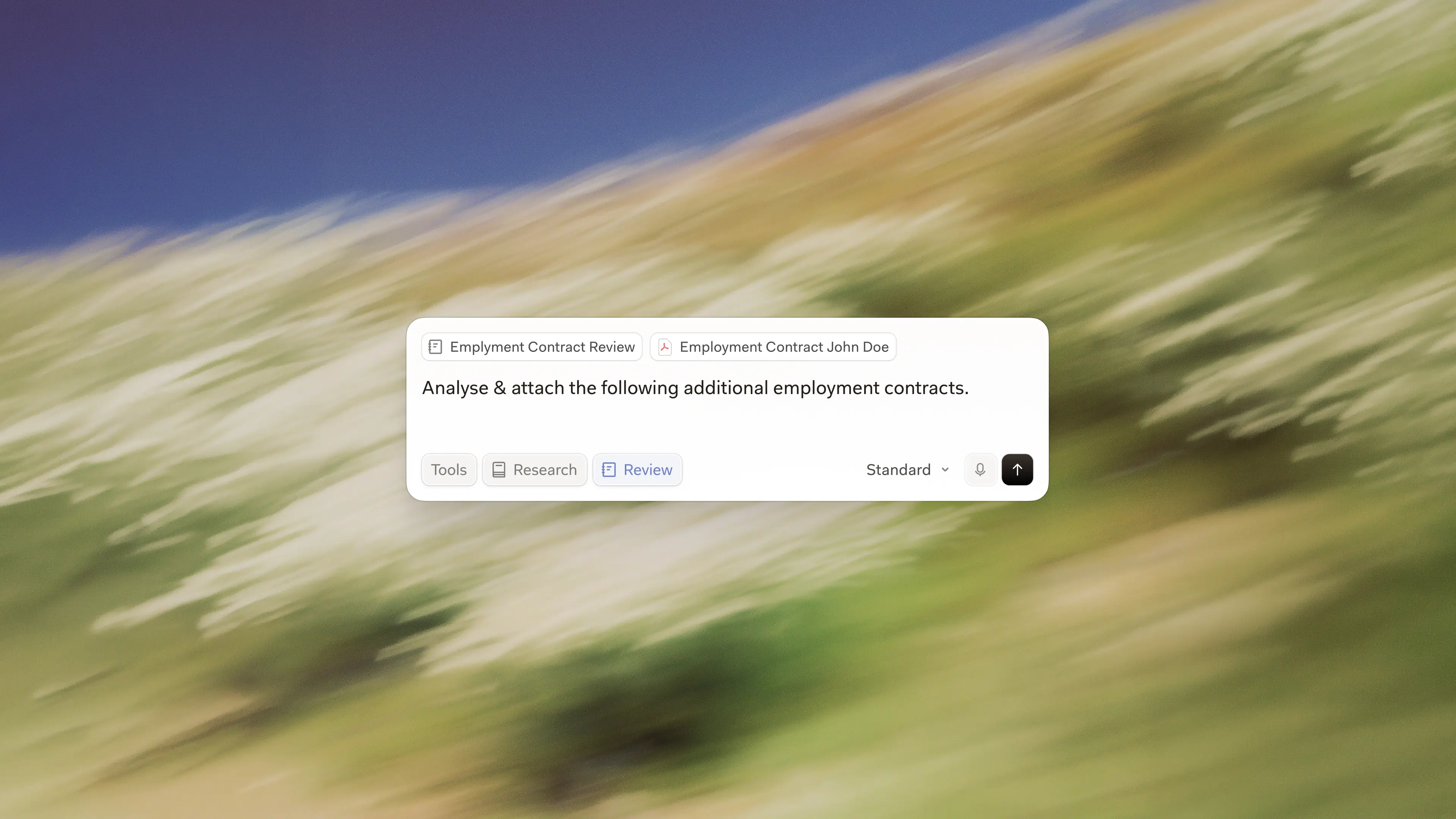
Libra's Spring Release is here, and it's our most significant upgrade of the Libra workspace yet.
This release wasn't built in isolation. Every change has been shaped by feedback from legal professionals in the markets we serve, covering everything from how the interface is organised to building playbooks for document review. The result is a workspace that's faster to navigate, gives you more context, and is better aligned with how legal teams actually work day to day.
A rebuilt interface designed around how you work
We've rebuilt Libra from the ground up, including completely refreshing how the interface feels.
Beyond aesthetics, we have also redesigned the navigation sidebar to make it even easier to navigate Libra across your projects and templates. New additions here include a workspace Home Page and Template Library.
The goal was simple: reduce friction at every step, so more of your time goes toward legal work and less toward finding your way around the platform.
Home Page
The Home Page is made to manage all of your projects in Libra, making it easy to organise your work, switch between projects, pick up where you left off and share with other team members.
Template Library
Ever built a Review template that you or your team should use time and time again? Or an Assistant that freed up hours of time? The Template Library is now your central hub for everything reusable in Libra.
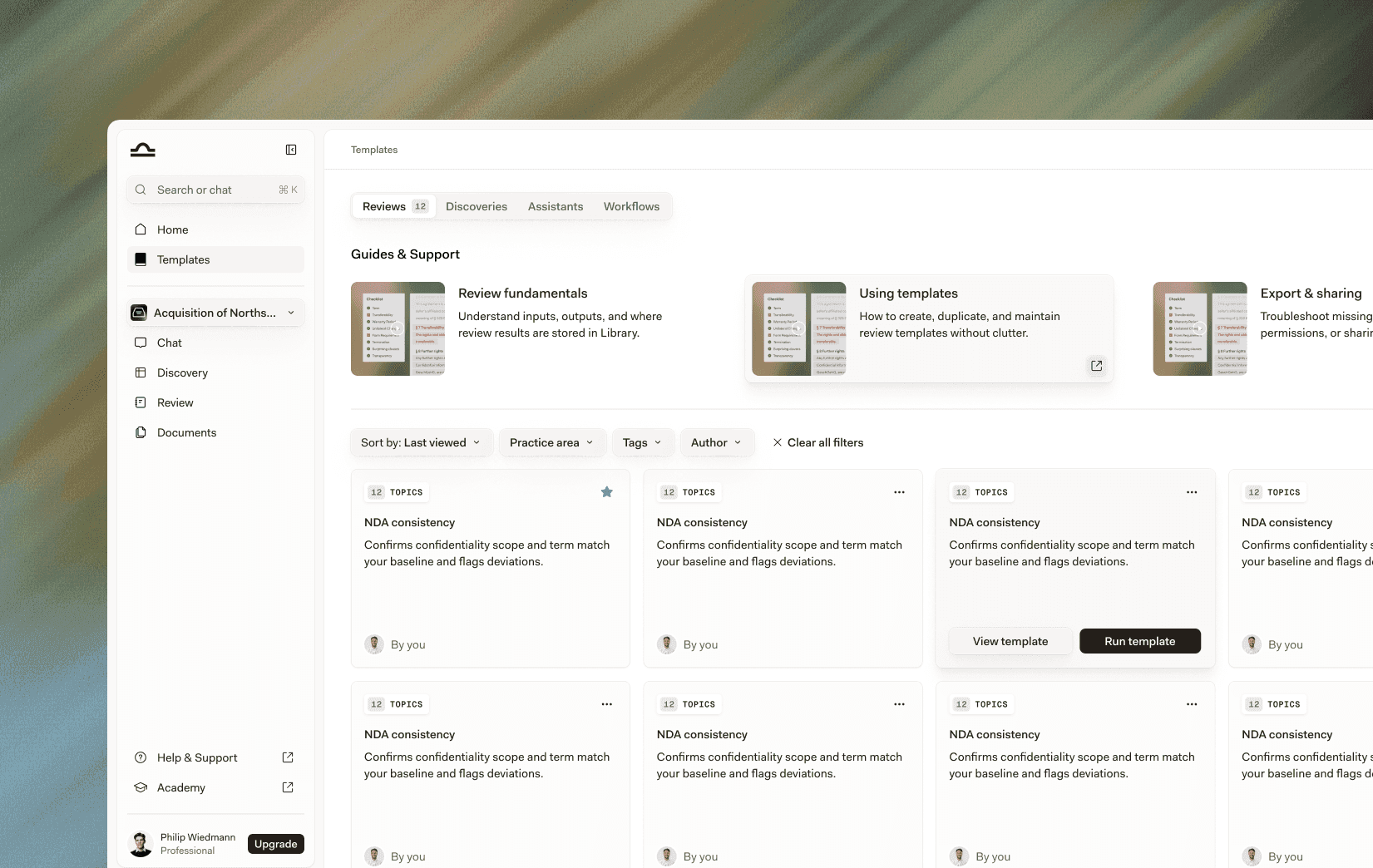
Accessible from the new sidebar, the Template Library brings together all your Review templates, Discovery templates, Assistants, and Workflows in one place. You can organise them by practice area, create and apply custom tags, filter and star favourites, and share them with team members.
Completed Reviews and Discoveries now live in your folder structure
Your completed Reviews and Discoveries have always been valuable, but they've been easy to lose track of. From the Spring Release, completed Reviews and Discoveries appear in your Documents panel alongside your PDFs and other files.
By default, they land in a "Review" or "Discovery" folder, but can be moved anywhere in your folder structure, just like any other document. No more digging through separate lists to find work you've already done.
Chat is becoming the starting point for everything
Libra Chat is our most-used feature, so in this release, we've made it more powerful and more central to your workflow.
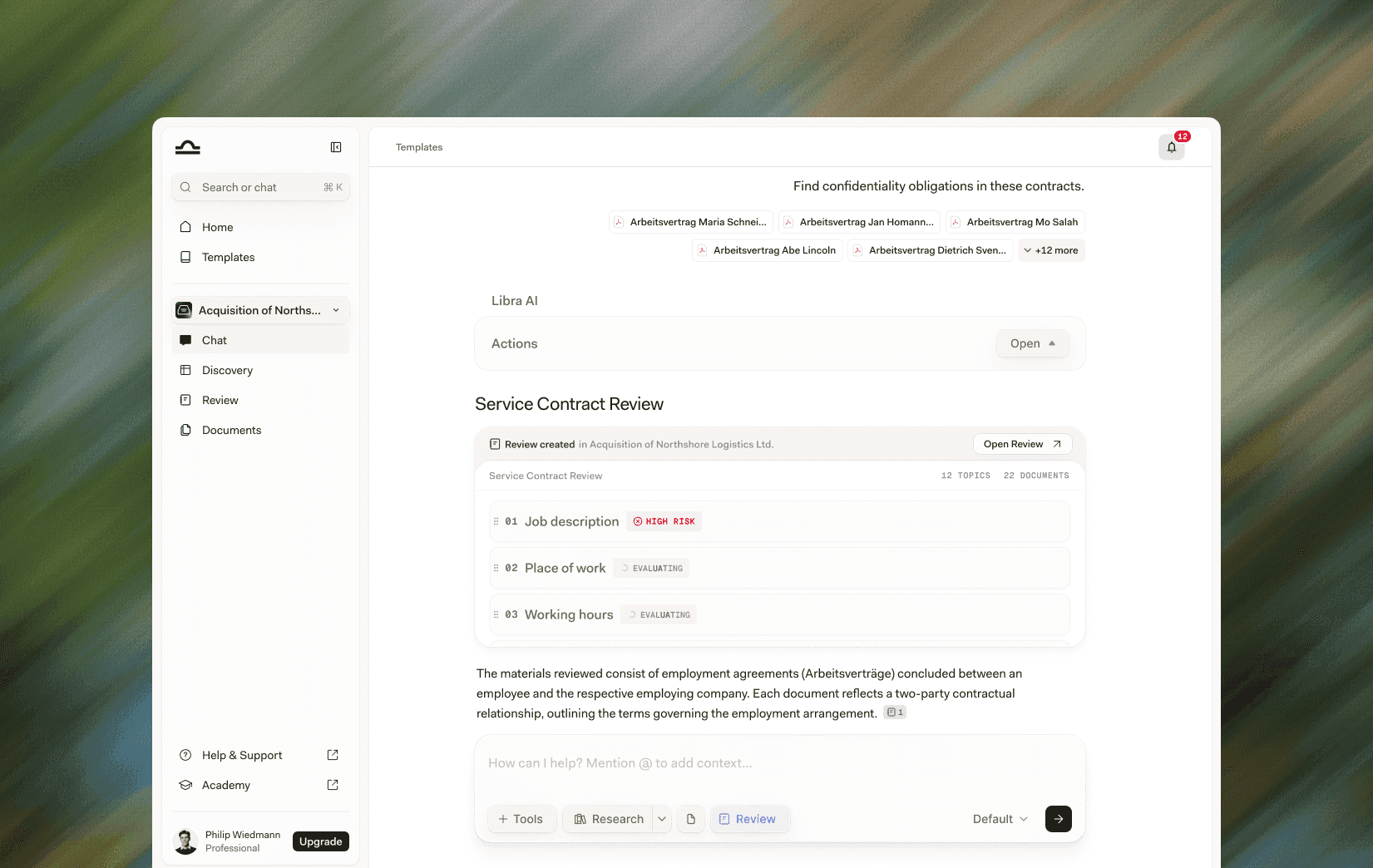
You can now start a Review or Discovery directly from Chat, without switching tools. And if you're already working inside Discovery, Chat is available there too. In the coming weeks, we are also looking to make chat available in Review.
This update makes Chat the connective tissue of the Libra workspace, the place where your work begins and where you return when you need to think something through.
Find anything in your workspace instantly with Ctrl+K / Cmd+K
One shortcut. Everything in your workspace.
Press ⌃+K on Windows or ⌘+K on Mac to search across your documents, chats, reviews, and discoveries, all from a single search bar. No more switching between views or scrolling through long lists to find a document you worked on last week.
For legal professionals managing high volumes of documents across multiple matters, this is a significant time-saver.
Build on previous work with @ mentions in Chat
Your documents don't exist in isolation and now your workflow doesn't have to either.
Use @ within Libra Chat to attach documents, reviews, or discoveries you've already created. Libra will reference that content as context, so you can build on existing results rather than starting from scratch each time.
It's a faster, smarter way to iterate particularly useful when returning to a matter after time away, or when picking up work from a colleague. Note that the @ shortcut now also works for Assistants and Workflows, not just documents so you can pull in any reusable resource as context directly from Chat.
A redesigned Chat input built for how you work
The Chat input itself has been overhauled to bring more power within closer reach.
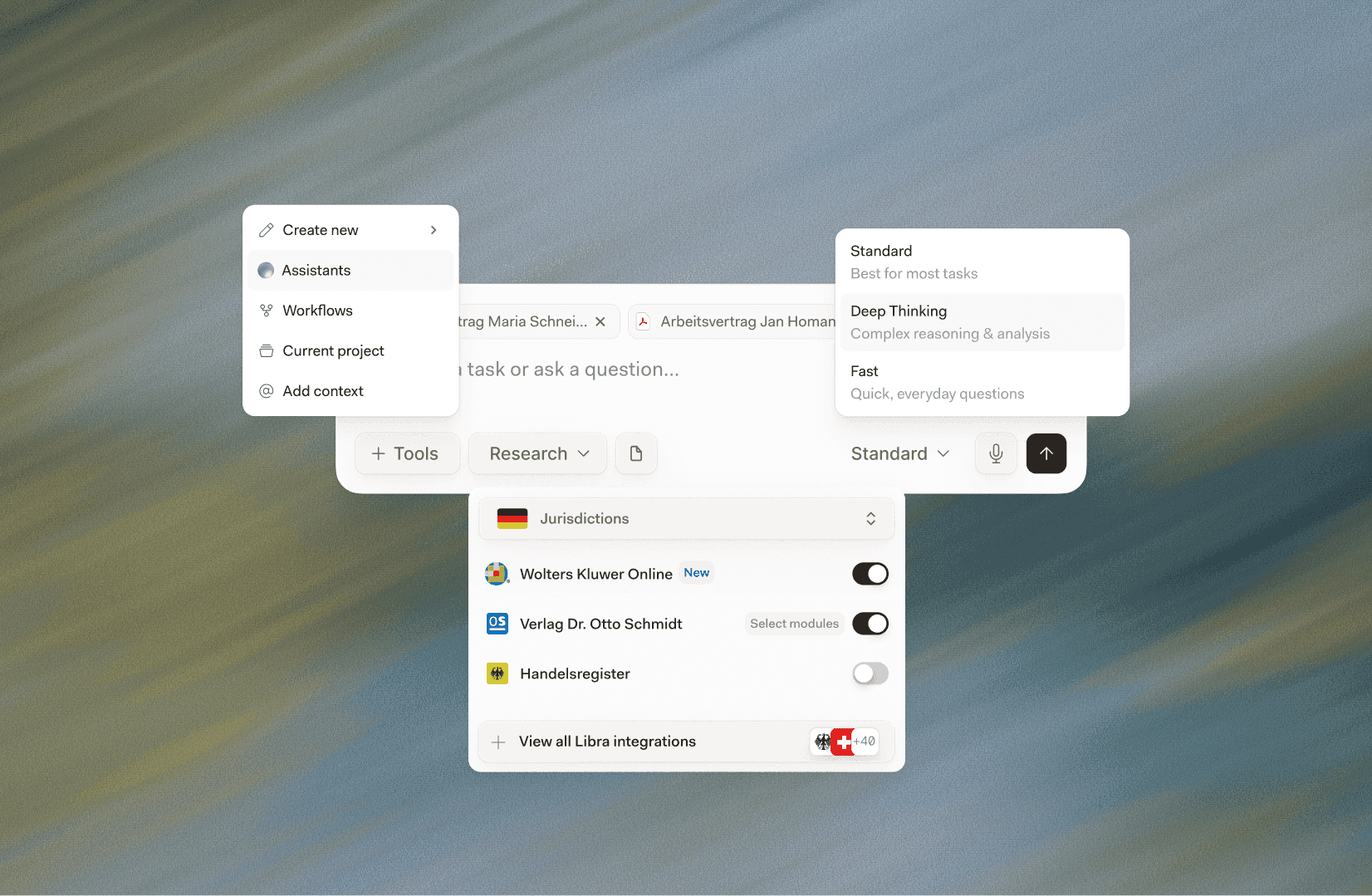
A new Tools panel consolidates your key Chat actions in one place: launch an Assistant, run a Workflow, create a new Review or Discovery from within the conversation, or add context to your message all without leaving the Chat interface.
The Research button has been redesigned for faster source selection, making it quicker to specify which legal resources Libra should draw on before you send a message.
Chat Modes have also been expanded. Alongside Default and Deep Thinking, there's now a Fast mode designed for quick, everyday questions where speed matters more than depth. You can switch modes with a single click.
A clearer view of your sources with the Citation List
When Libra draws on research sources to answer a question, you can now see exactly what it used. The new Citation List surfaces a full overview of all cited sources alongside any Chat response, letting you review the underlying materials, verify reasoning, and export citations for use elsewhere.
It's a small change that makes Libra's outputs significantly more transparent and easier to rely on.
Review rebuilt around your playbooks
The Libra Review tool has been completely rebuilt for this release.
Previously, teams had to adapt their playbooks to fit the tool. That meant inconsistencies, workarounds, and extra time spent checking outputs. Now, Review works around your standards, not the other way around.
Review templates now follow a structured format built around your playbook logic. Each template is made up of Topics. For each Topic, you define Positions, an acceptable position, any number of fallback positions, and a not-acceptable position. For each position, you then set out the specific Rules that determine when that position is met. You can also add Ideal Language to your acceptable and fallback positions, which Libra uses to suggest precise edits in the Word Add-In.
The output reflects this structure directly. For each Topic, Libra delivers an overall risk assessment, from no risk to high risk, along with the underlying reasoning and a breakdown of how each Rule was applied. The result is greater accuracy, more predictable outputs, and a Review process that reflects the way your team actually operates.
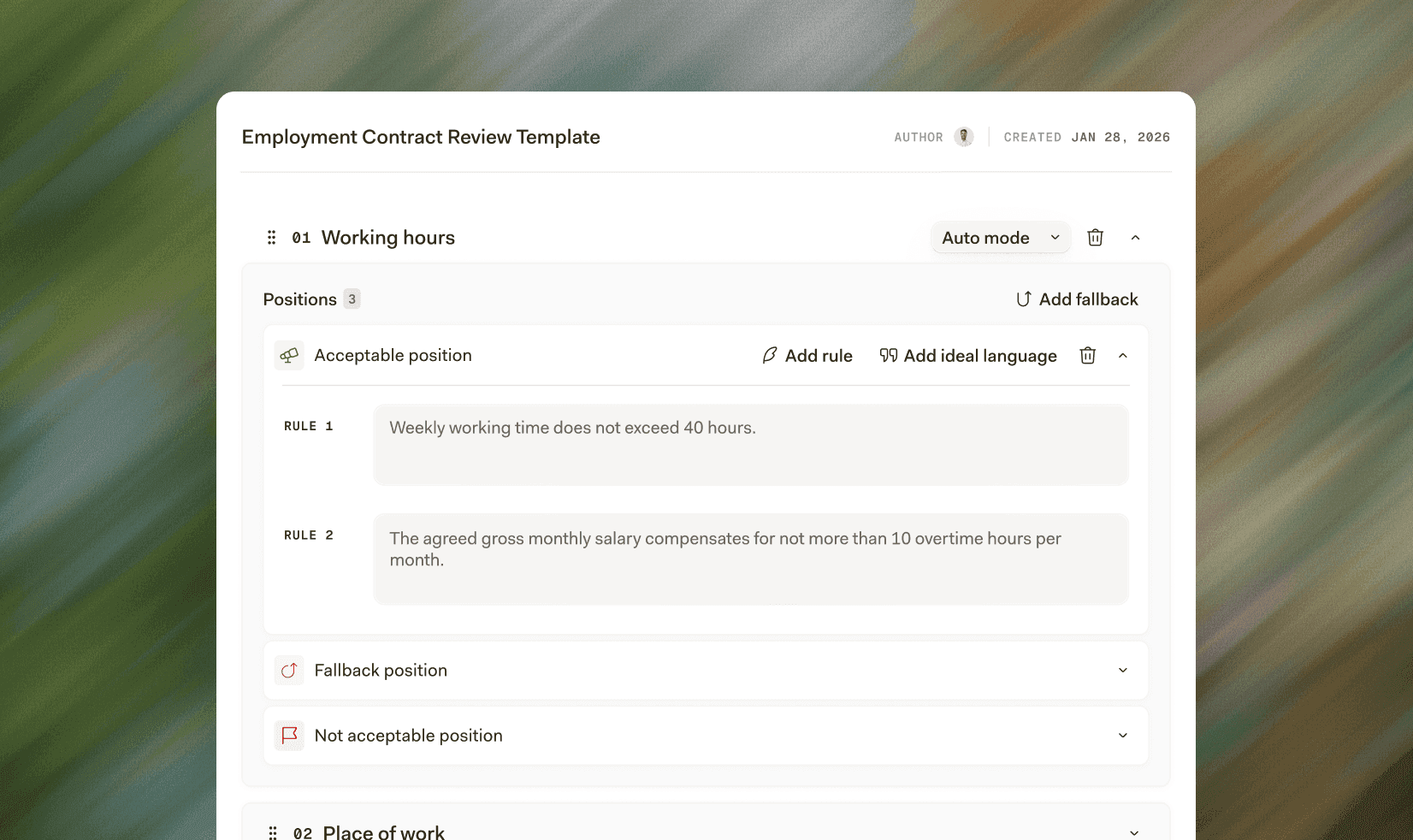
Auto Mode: let Libra do the research
For situations where you'd rather ask a question than define criteria, each Topic now supports Auto Mode. Simply enter a question, similar to a Chat prompt, and Libra will analyse the contract and answer it, drawing on research sources available for your jurisdiction.
It's particularly useful for checking whether a clause complies with current case law, without the need to manually research and define Review criteria first.
Review in Word, now aligned with the web app
The existing Review feature in the Libra Word Add-In has been renamed to Document Comparison. A new Review feature takes its place, structured identically to the web app, and working with the same templates. Whether you're reviewing a document in the browser or directly in Word, you're now working from the same playbook, with the same outputs.
Read more articles